


Keep StudioBookings open until your members are across
StudioBookings deletes your studio's information, including your members, when you cancel. We bring your members, passes and memberships over first. Then you close the old account.
Junocal's plans are $15, $29 or $69 a month, month to month, and $15 covers up to 5 instructors. New clients book and pay in one step. Already on StudioBookings? We move your members, passes and memberships for you, free in your first 30 days.
14 days free, no card.
StudioBookings' price for a solo owner, from its own pricing page on 19 November 2026.
 5 out of 5 stars on G2
 Behind the Choreo with Natalie
 Sky & Stone
 Kina
 Mirage Dance School
 Flex and Flow Pole Studio
Rated 5 out of 5
The team at Junocal is top notch!
“The team at Junocal has made this so easy. … Also, my clients appreciate how easy it is to navigate the portal and how streamlined everything is. 10 outta 10!”
Rated 5 out of 5
Quick response
“Quick response, flexibility and willing to help with all needs. Junocal has helped me create the guest booking site the way I envision without having to be narrowed into specific limitations all at an affordable rate. I’m so glad to be partnered with Junocal for my booking needs.”
Rated 5 out of 5
Junocal is quick to respond to any questions
“Junocal is quick to respond to any questions and is always making improvements and tweaks to make the experience user friendly for both clients and team members.”
New clients book in one step, and your client list is yours to download whenever you like.
StudioBookings' side of both tables is from its pricing page, FAQ and help articles on how the plan is set and booking a first class, read on 19 November 2026. Stripe's processing fees apply on Junocal.
14 days free, no card.
StudioBookings deletes your studio's information, including your members, when you cancel. We bring your members, passes and memberships over first. Then you close the old account.
Replace the StudioBookings link with your Junocal booking page, or embed your schedule on WordPress, Wix or Squarespace. Your website stays as it is.
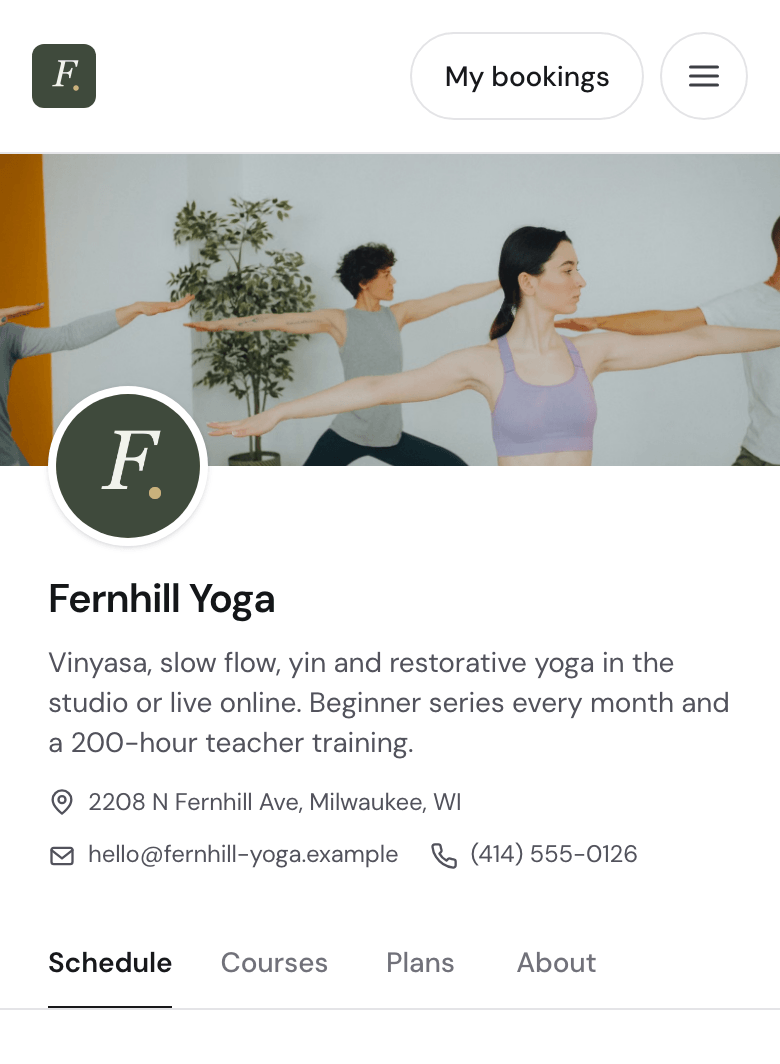
A yoga studio's booking page, on a phone. Yours carries your own name and classes.
Clients book and pay on a page with your name, photos and colours.
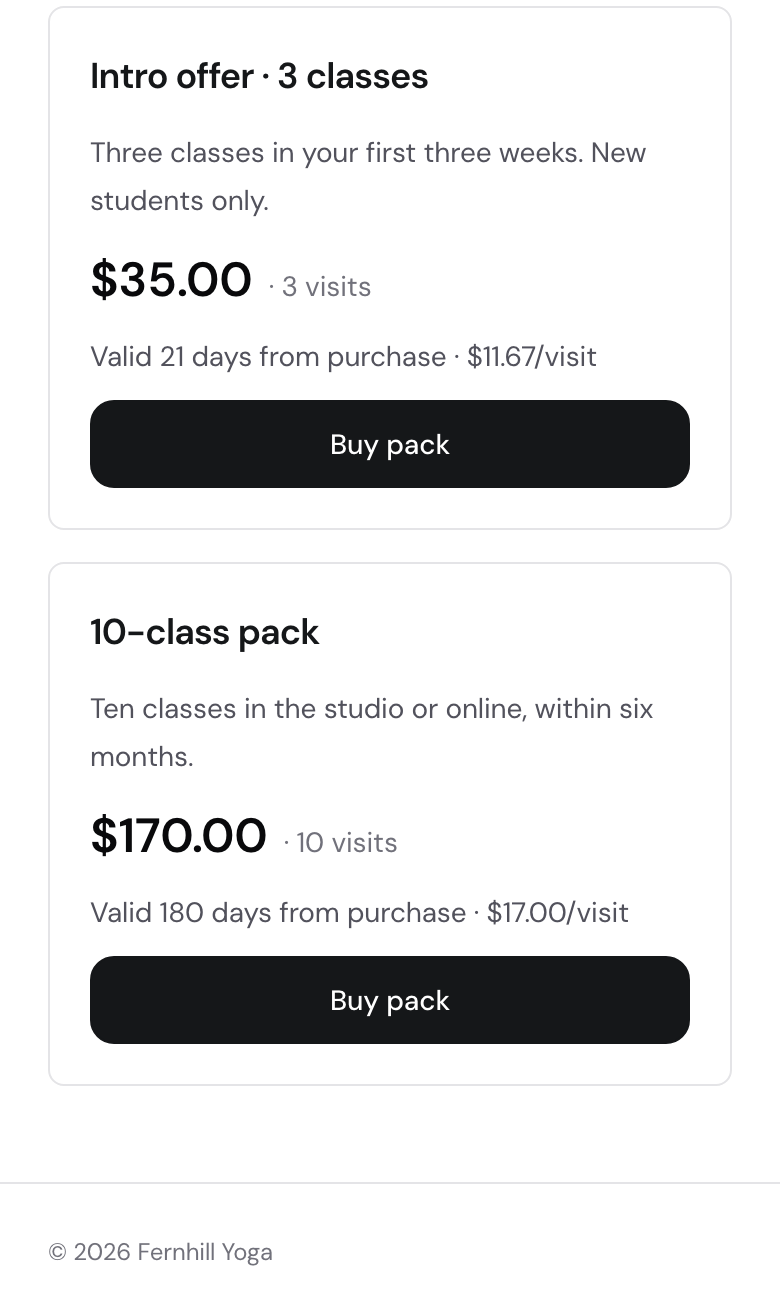
Sell them from the same page. Credits come off at each booking.
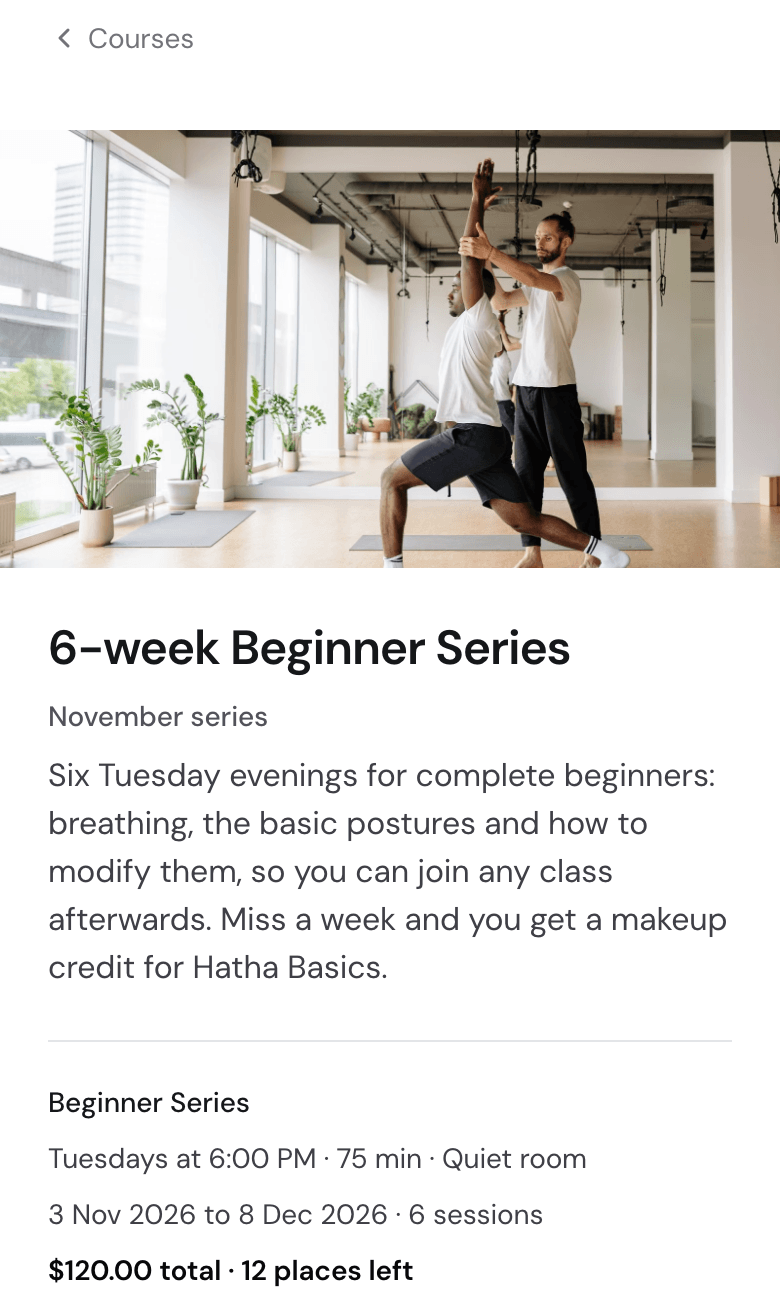
Sell a six-week series as one course. Clients sign up and pay once.
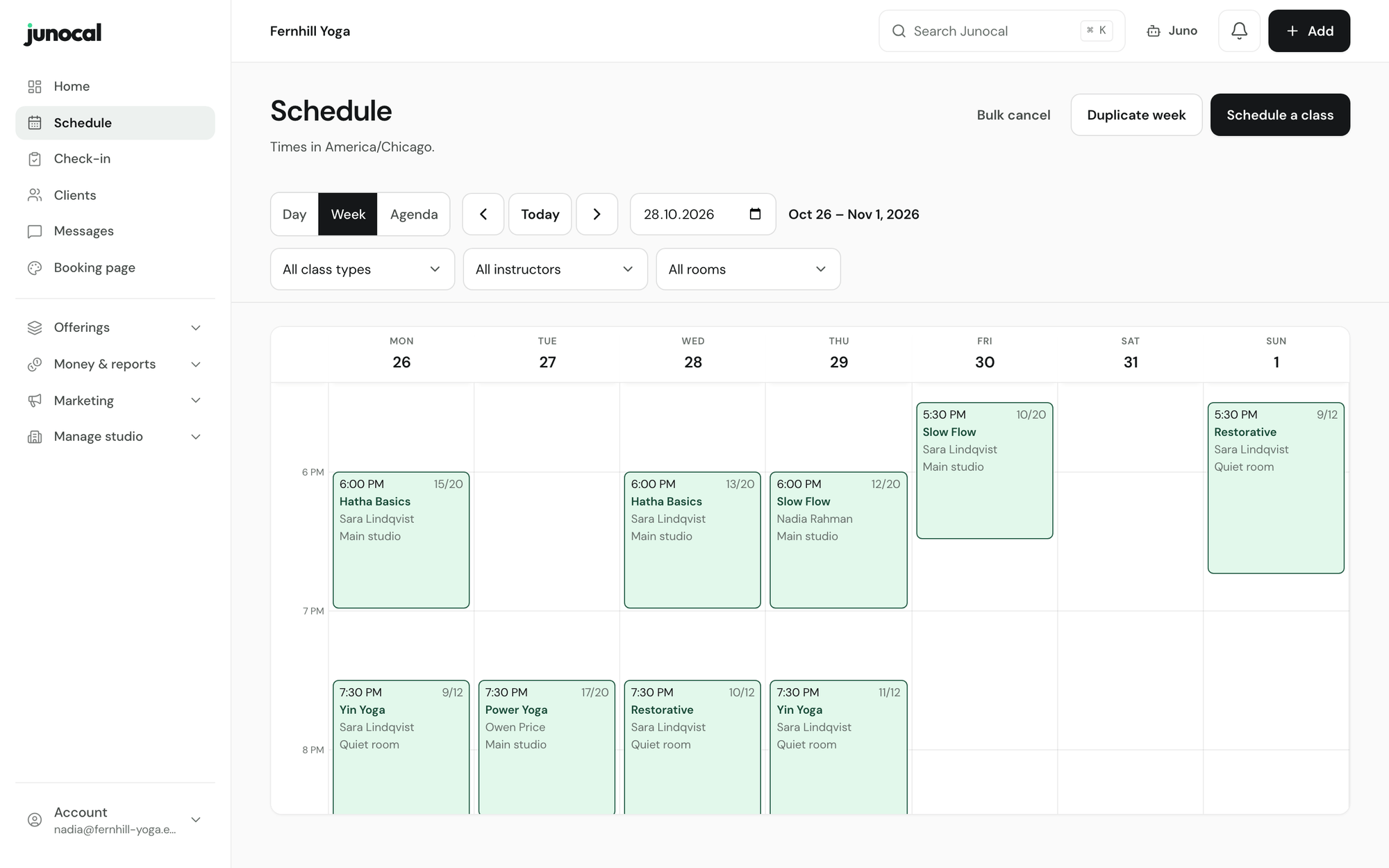
14 days free, no card.
Free in your first 30 days
Send us your StudioBookings export and we do the rest.
Saved cards do not come across in an export. We plan any change to recurring billing with you before you switch. See how a move works.
One account covers booking, payments, client care and reporting. Every plan includes the features without a plan label.
Classes and timetables
Recurring classes and one-off workshops on one calendar, with capacity set once.
Sell a dated series as one enrolment, with its own price, capacity and attendance.
Clients book 1:1 time from the hours you set, with buffers, deposits and optional weekly visits.
Clients choose a named place in your room layout. Take broken equipment out of use.
Separate in-person and online capacity, with meeting links sent automatically.
Book clients with a pack or membership the moment a place opens, or let the first to claim take it.
Class prerequisites
Open a level only to clients with enough recorded attendance or instructor approval.
Family and group bookings
One account can book for children, partners or friends, and pay for a guest by card or from a pack.
Studio hire and parties
Rent out rooms and equipment or quote party packages, with deposits and availability checked against your timetable.
Drop-in prices
New clients can book and pay for a single class without buying credits first.
Packs, memberships and intro offersFrom Starter
Credits that deduct themselves, higher credit costs for some classes, one-time intro passes, and memberships clients can pause or upgrade.
Gift cards
Sell gift cards in your own design, online or at the desk. Clients can pay with them when they book online.
Coupons and promo codes
Discount a class, pack or membership for a campaign, partner or birthday.
Referral codes
Clients share a code with friends, and you see who brought each new client.
Payments to your own Stripe
Money goes straight to your Stripe account. Paid plans add no Junocal transaction fee.
Failed-payment recovery
When a renewal fails, the client gets a secure link to update their card.
Branded booking page
Your logo, colours and photos on one link. Add it to your WordPress, Wix or Squarespace site too.
Collect intake forms, signatures and photos during booking or before the visit.
Private notes on each profile, shared only with the teammates you choose.
Confirmations, reminders a day, 2 hours and 30 minutes before, plus welcome, win-back and renewal emails.
Ask for a review after class, then choose which ones appear on your booking page.
Email broadcastsFrom Studio
Announce a new class, workshop or timetable change to opted-in clients.
Shared client inboxFrom Studio
Client email replies land in one inbox your whole team can answer.
Client follow-up listsFrom Studio
See who came once, who signed up but never booked and whose pack is low, then message them.
Check in the whole day from one desk screen, or from the instructor's day-of roster on a phone.
Run the day, check clients in and take desk payments from the Junocal app. Clients book and manage visits in it too. Android is coming soon.
Staff and cover
Five instructor seats on Starter, unlimited from Studio, plus front-desk roles and substitute cover.
Reports
Sales and attendance on every plan. Business, class and instructor performance from Studio.
Multiple locationsFrom Studio
Up to five locations on Studio and ten on Growth, with memberships that work across sites.
The WordPress plugin, the Wix app, calendar feeds and Zoom on every plan. Mailchimp and Klaviyo from Studio.
Juno AI assistantFrom Studio
Ask about bookings or clients. Juno drafts the change and you approve it.
CSV export
Download clients, bookings and revenue whenever you like.
Junocal is a StudioBookings alternative for studios and instructors who want new clients to book and pay in one step. Plans are $15, $29 or $69 a month, month to month, with no Junocal fee on bookings on paid plans. Payments go into your own Stripe account, and we move your members over for free in your first 30 days.
StudioBookings' pricing page, read on 19 November 2026, says plans start at $25 a month for a solo owner and every plan includes every feature. Its help centre says the plan is set by the number of instructors you add, and prices for more than one instructor are not shown. Junocal is $15 a month for up to 5 instructors and $29 for unlimited instructors.
Yes. We move your clients, their booking history, active memberships and passes with the classes left on them, free in your first 30 days. Saved cards do not come across, so we plan any change to recurring billing with you before you switch.
StudioBookings' FAQ, read on 19 November 2026, says cancelling deletes your studio's information, including your members. Keep your account open until your members are on Junocal. On Junocal you can download clients, bookings and revenue as CSV whenever you like.
Yes. Swap the StudioBookings link for your Junocal booking page, or embed your schedule on a WordPress, Wix or Squarespace site. The Growth plan adds a website with your own domain.
No. Clients sign in with a 6-digit code sent to their email. New clients can book and pay for a class without buying a pass first.
Then from $15 a month, month to month. Moving from StudioBookings? We move your clients and memberships for you, free in your first 30 days.
14 days free, no card.