Momence pricing is quote only. Junocal starts at $15 a month.
Junocal's plans are $15, $29 or $69 a month, month to month, with no commission on your bookings. Already on Momence? We move your clients and memberships for you, free in your first 30 days.
14 days free, no card.
Momence shows no plans or prices, from its own pricing page on 11 November 2026.
 5 out of 5 stars on G2
Join 100+ studios and instructors using Junocal
 Behind the Choreo with Natalie
 Sky & Stone
 Kina
 Mirage Dance School
 Flex and Flow Pole Studio
Rated 5 out of 5
The team at Junocal is top notch!
“The team at Junocal has made this so easy. … Also, my clients appreciate how easy it is to navigate the portal and how streamlined everything is. 10 outta 10!”

What changed in this pricing guide?
On 9 September 2026, the official Momence pricing page invited businesses to discuss their needs for tailored pricing. We have therefore removed the earlier Basic, Pro and Custom amounts and processing percentages from our current comparison. They are not verified new-customer offers.
This does not prove that an existing customer's contract has changed. If you already use Momence, compare your order form and actual invoices with any renewal proposal. If you are evaluating it for the first time, request a proposal dated for your market and configuration.
The cost breakdown to request
- Subscription: currency, monthly or annual billing, locations, staff access, customer limits and the price after promotions.
- Setup: implementation, training, migration and any mandatory service package.
- Operator fees: the percentage or fixed fee, which transactions it applies to, and whether refunds return it.
- Client-paid fees: what the customer sees at checkout and whether the studio can absorb the cost.
- Processing: card and bank-payment rates for your region, fixed charges, international-card differences and dispute costs.
- Required extras: messaging, marketing, website, branded app or other tools essential to your workflow.
- Contract: renewal, price changes, minimum commitment, cancellation and data-export terms.
These are questions, not claims that Momence charges every fee listed. Mark each item included, optional, not applicable or unknown, and ask for written confirmation.
Calculate an annual total from the quote
First-year cost = subscription total + setup + required extras + applicable operator fees + processing.
Use your own booking value and transaction count. As a hypothetical example only, a 1% operator fee on $120,000 of eligible annual sales would add $1,200. This is arithmetic, not a Momence rate. Client-paid fees belong in a separate customer-cost line unless your business absorbs them.
Check whether a processing percentage already includes another quoted fee before adding them together. Compare monthly and annual proposals on the same basis and show upfront cash separately. Enter the values from your dated written quote into the Momence quote and fee calculator. It includes subscriptions and full processing costs on both sides, leaves unknown fees blank and separates first-year setup from ongoing costs.
Compare the actual workflow with Junocal
Junocal's published monthly-billed plans are $15 for Starter, $29 for Studio and $69 for Growth. Starter covers one location and up to five instructor seats; Studio covers up to five locations and Growth up to ten. Check the current plan limits and include any external tools you still need.
Junocal collects no Junocal transaction percentage, but payment processing is not free. You use your own Stripe account. The price advantage is useful only if the supported workflows fit your business.
For example, Junocal's paid private appointments support full payment or a fixed deposit; remaining balances are recorded but not collected automatically, and packs can cover explicitly selected appointment services. Test that distinction if private lessons are important to you.
For either product, demonstrate a real class, a pack redemption, a recurring membership, a cancellation and a refund on the exact proposed plan. Record manual work and missing capabilities alongside the price.
If you already use Momence
Start with your actual invoices and renewal terms, not assumptions about why a vendor changed its website. If a move makes sense, reconcile customer records, unused credits, paid bookings and payment permissions before cutting over. A lower subscription is not a reason to skip that work.
Read the migration control checklist for reconciliation principles, then confirm the Momence-specific export and payment-transfer details with the providers involved. The checklist does not promise an automatic migration from another platform.
For a broader shortlist, see the source-linked affordability comparison, Pilates booking workflow or yoga studio workflow.
Questions before you choose
How much does Momence cost now?
The official pricing page reviewed on 9 September 2026 asks businesses to discuss their needs for tailored pricing. It does not publish a universal subscription or processing rate in that page's current offer. Obtain a written proposal for your country, locations and required features.
Are the older Basic, Pro and Custom prices still current?
We cannot establish that from the current pricing page. Older price lists may describe historical offers or particular accounts. They should not be treated as a quote for a new customer, and the current page does not establish that every existing customer's terms have changed.
Which fees should I ask Momence to confirm?
Ask for the subscription, setup and migration charges, operator platform fees, client-paid fees, payment processing, required add-ons and any marketplace-attributed charges. A fee missing from the page is unknown, not necessarily present and not necessarily zero.
Can I compare a Momence quote with Junocal?
Yes, if you compare the required configuration rather than the headline subscription alone. Junocal Starter is $15/month, Studio $29/month and Growth $69/month on monthly billing, with different staff and location limits. Junocal’s paid plans charge no platform transaction percentage; processing and any external tools remain separate costs.
Does switching software automatically move memberships and payments?
No. Verify export coverage, membership balances, consent, payment mandates and the cutover process before cancelling a system. Do not assume stored payment methods or recurring billing can be transferred automatically.
What your clients see on Junocal
A yoga studio's booking page, on a phone. Yours carries your own name and classes.
Your own booking page
Clients book and pay on a page with your name, photos and colours.

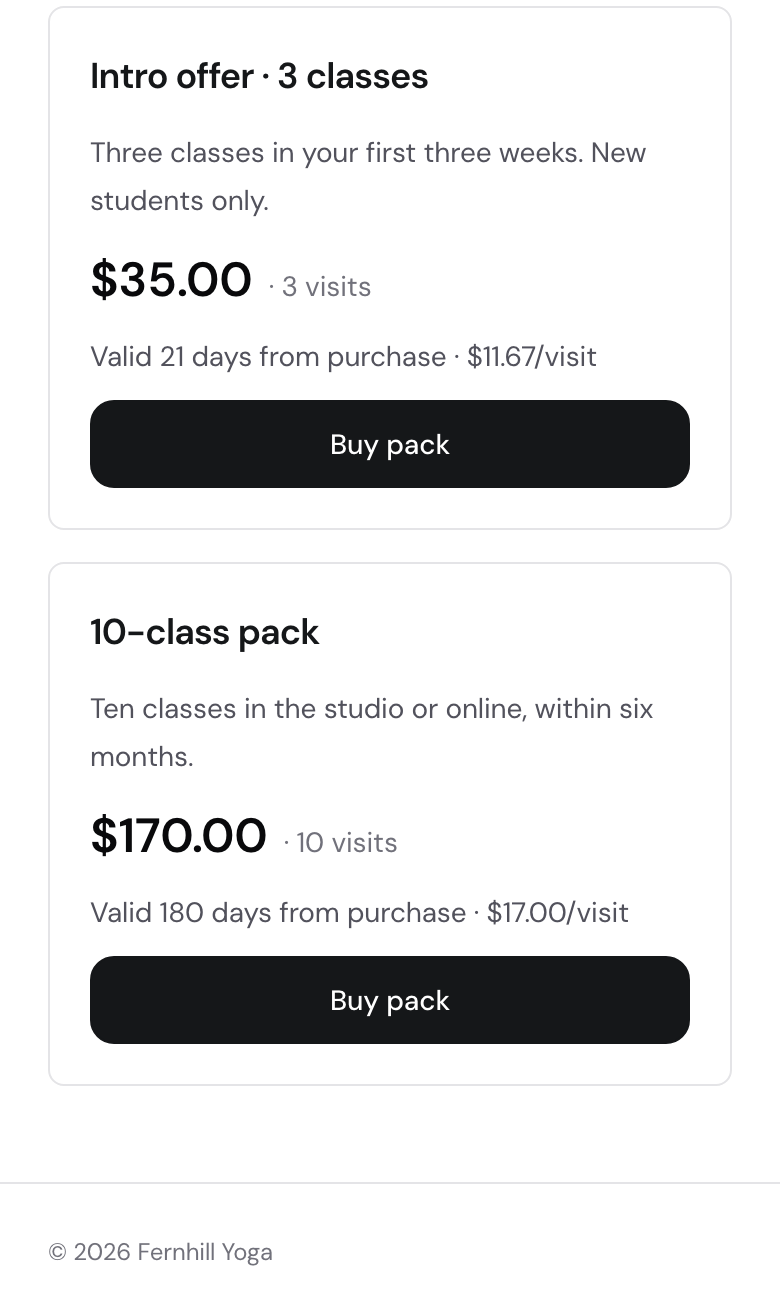
Packs, memberships and intro offers
Sell them from the same page. Credits come off at each booking.
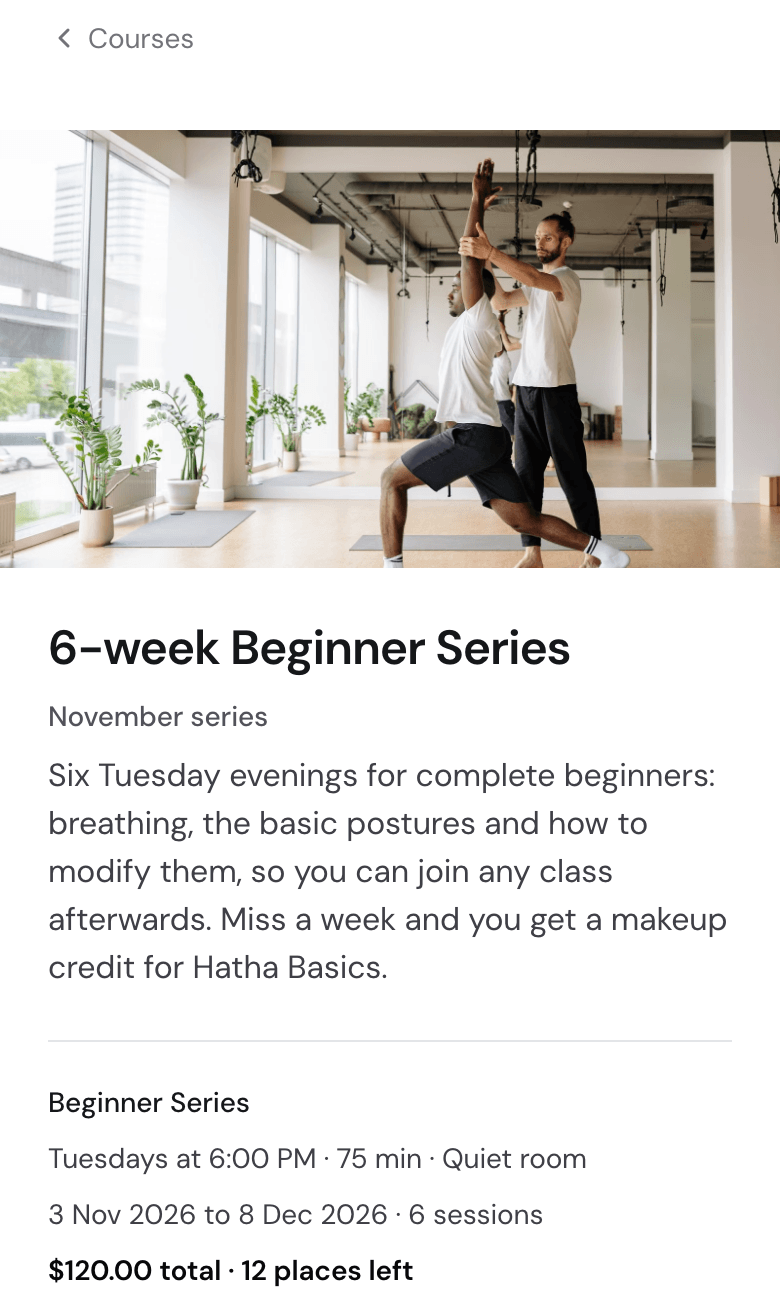
Courses with one sign-up
Sell a six-week series as one course. Clients sign up and pay once.
14 days free, no card.
Free in your first 30 days
We move you over from Momence
Send us your Momence export and we do the rest.
- Clients, with their profiles and contact details
- Booking history, with who attended
- Active memberships, with their current period
- Class packs, with the credits left
- Email opt-in status
Saved cards do not come across in an export. We plan any change to recurring billing with you before you switch. Read the Momence migration playbook.
Everything included for studios and instructors
One account covers booking, payments, client care and reporting. Every plan includes the features without a plan label.
Scheduling and booking
Classes and timetables
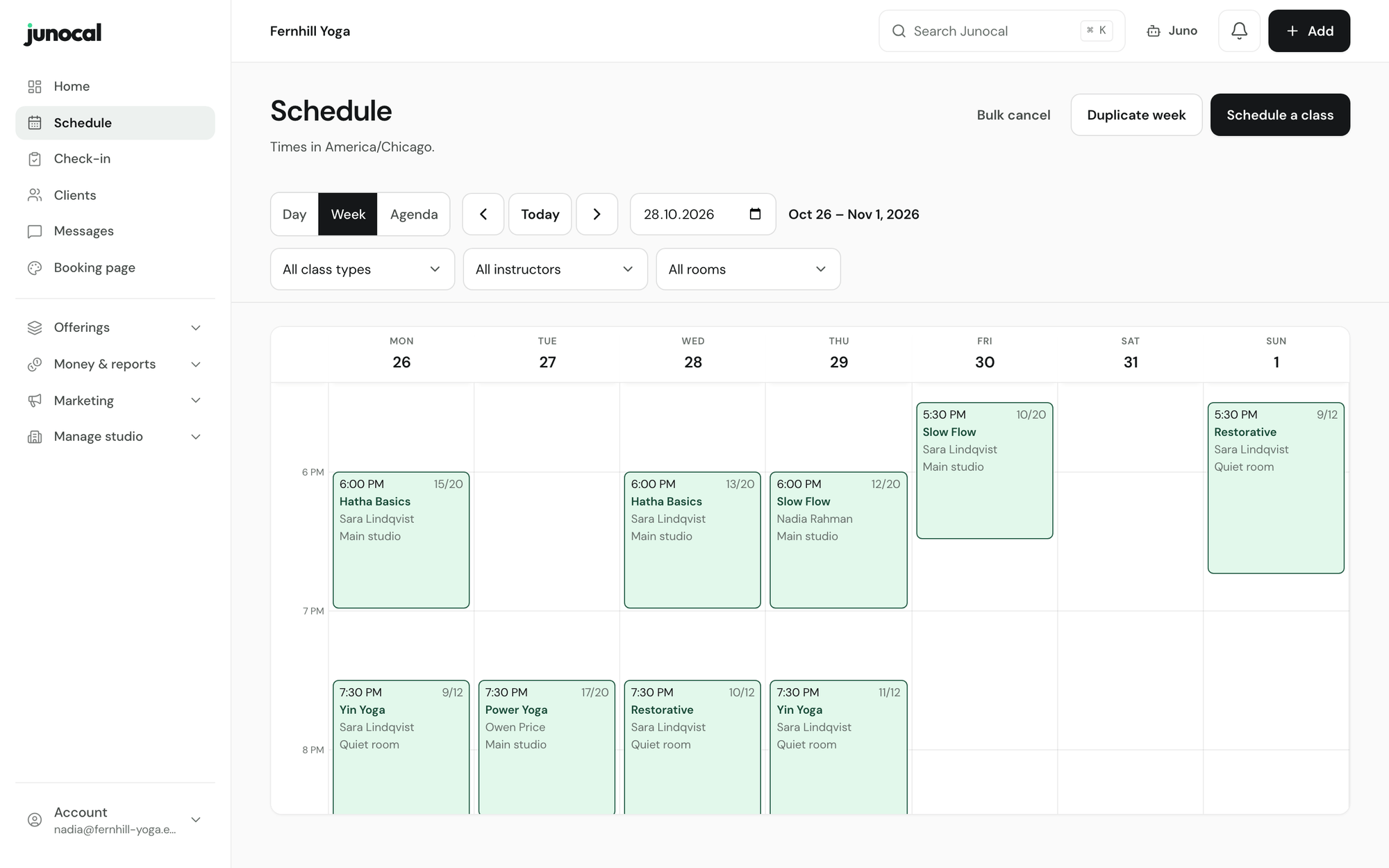
Recurring classes and one-off workshops on one calendar, with capacity set once.
Sell a dated series as one enrolment, with its own price, capacity and attendance.
Clients book 1:1 time from the hours you set, with buffers, deposits and optional weekly visits.
Clients choose a named place in your room layout. Take broken equipment out of use.
Separate in-person and online capacity, with meeting links sent automatically.
Book clients with a pack or membership the moment a place opens, or let the first to claim take it.
Class prerequisites
Open a level only to clients with enough recorded attendance or instructor approval.
Family and group bookings
One account can book for children, partners or friends, and pay for a guest by card or from a pack.
Studio hire and parties
Rent out rooms and equipment or quote party packages, with deposits and availability checked against your timetable.
Selling and payments
Drop-in prices
New clients can book and pay for a single class without buying credits first.
Packs, memberships and intro offersFrom Starter
Credits that deduct themselves, higher credit costs for some classes, one-time intro passes, and memberships clients can pause or upgrade.
Gift cards
Sell gift cards in your own design, online or at the desk. Clients can pay with them when they book online.
Coupons and promo codes
Discount a class, pack or membership for a campaign, partner or birthday.
Referral codes
Clients share a code with friends, and you see who brought each new client.
Payments to your own Stripe
Money goes straight to your Stripe account. Paid plans add no Junocal transaction fee.
Failed-payment recovery
When a renewal fails, the client gets a secure link to update their card.
Clients and communication
Branded booking page
Your logo, colours and photos on one link. Add it to your WordPress, Wix or Squarespace site too.
Collect intake forms, signatures and photos during booking or before the visit.
Private notes on each profile, shared only with the teammates you choose.
Confirmations, reminders a day, 2 hours and 30 minutes before, plus welcome, win-back and renewal emails.
Ask for a review after class, then choose which ones appear on your booking page.
Email broadcastsFrom Studio
Announce a new class, workshop or timetable change to opted-in clients.
Shared client inboxFrom Studio
Client email replies land in one inbox your whole team can answer.
Client follow-up listsFrom Studio
See who came once, who signed up but never booked and whose pack is low, then message them.
Running the business
Check in the whole day from one desk screen, or from the instructor's day-of roster on a phone.
Run the day, check clients in and take desk payments from the Junocal app. Clients book and manage visits in it too. Android is coming soon.
Staff and cover
Five instructor seats on Starter, unlimited from Studio, plus front-desk roles and substitute cover.
Reports
Sales and attendance on every plan. Business, class and instructor performance from Studio.
Multiple locationsFrom Studio
Up to five locations on Studio and ten on Growth, with memberships that work across sites.
The WordPress plugin, the Wix app, calendar feeds and Zoom on every plan. Mailchimp and Klaviyo from Studio.
Juno AI assistantFrom Studio
Ask about bookings or clients. Juno drafts the change and you approve it.
CSV export
Download clients, bookings and revenue whenever you like.
Primary pages, checked by hand
We reviewed Momence's official pricing page and Junocal's published plans on 9 September 2026. This update replaces the older fixed-tier table. Quote-only terms remain unknown; calculations and demo checklists are our analysis, not vendor quotes or customer outcomes. A public-page change does not establish a change to an existing customer's contract.
Last reviewed .
Try your own weekly workflow
Junocal starts at $15/month on monthly billing, with no Junocal transaction percentage. Payment processing is separate. Check the plan limits and pricing, then test your classes before committing.
5 out of 5 stars on G2
Join 100+ studios and instructors using Junocal